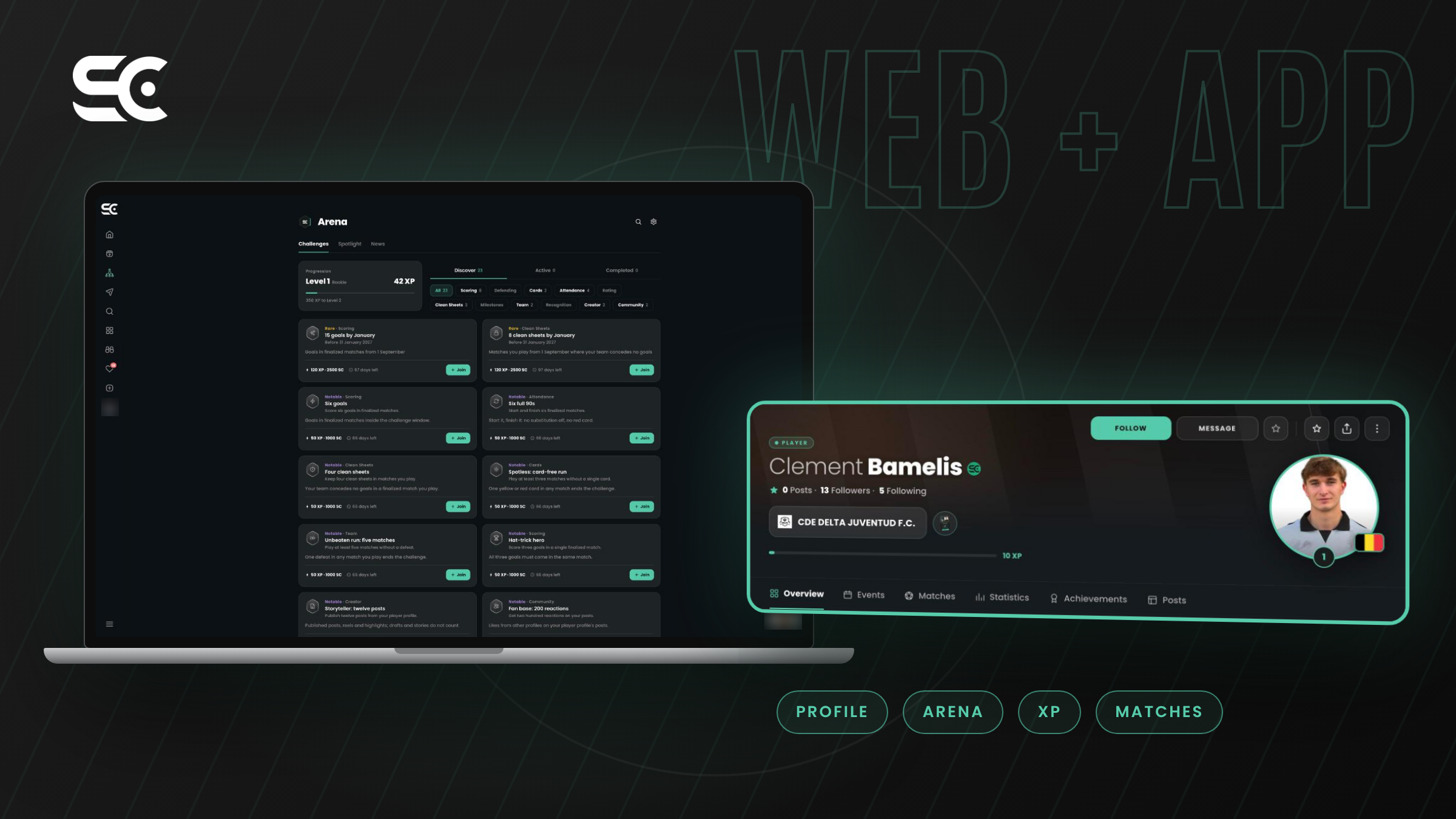
The new ScoutsCapital app gives every grassroots player a personalised profile built from official match data, and wraps it in a home feed, a matches section, the Arena, where you take on challenges and earn XP, and a Trials area. It works on the web app and on the mobile app, with one account for both. This post walks you through each part, screen by screen, so you know exactly what you'll find when you open it.
What do you see when you open the ScoutsCapital app?
The first screen is your home feed. Along the top you'll see stories from players and teams you follow, and below them posts from your club, your teammates and the wider community. On the side, the app shows your team's upcoming matches, the players who are trending right now and people you might want to follow. Messages sit in the corner, so you can talk to a teammate or a coach without leaving the app.
We wanted the feed to feel like the start of a football week, not a noticeboard. It's where you see who scored at the weekend, what your club is up to and what's coming next. Football networking works best when it's built around the games you actually play, so everything on the feed comes back to real matches and real people.
How does your personalised profile work?
Your profile is the heart of ScoutsCapital. At the top you'll find your name, your club, your followers and an XP bar that shows your level. Underneath there are tabs for your overview, events, matches, statistics, achievements and posts. Coaches get their own profile too, with their team, experience and specialty. The achievements tab collects the badges you unlock along the way, from your first goal to rarer milestones that only a handful of players hold.
The important part is where the numbers come from. Your goals, assists, minutes, cards and results arrive automatically from the official match report, usually within a few hours of the final whistle. Nobody types them in, so they're verified football stats rather than claims. Think of it as a football CV that keeps itself up to date, without you lifting a finger. Premium adds more on top, like a weekly Form Score, and we'll cover all of it properly in a dedicated post next week.
What is the Arena?
The Arena is the part of the app we're most excited about, and it's where the old networking section ended up after the rebuild. It has three tabs: Challenges, Spotlight and News.
Challenges are goals you can join and complete through your real matches. Some are short, like starting and finishing six full matches without being subbed off or sent off. Others run all season, like scoring 15 goals or keeping eight clean sheets by the end of January. They cover scoring, defending, attendance, discipline, team results and even community and creator activity. Each one earns XP, and XP moves you up the levels, starting from Rookie. Because every challenge is checked against official match data, nobody can fake their way to the top.
Spotlight shows who's rising this week and the leaderboards. You can compare yourself with your team, your league or everyone on the platform, and sort by form, goals, goals plus assists, minutes, assists or XP. It's a simple way to see where you stand, and a bit of friendly competition with your teammates never hurts.
How do you follow matches and leagues?
The Matches section lists fixtures day by day: yesterday's results, today's games and what's coming up. Matches are grouped by competition and group, so if you play in one of Madrid's Segunda Aficionado groups you can see your whole weekend at a glance. Each finished match feeds straight into the profiles of the players who played in it, which is how your season builds up without any effort from you. It's also the quickest way to check a result when you couldn't make it to the game yourself.
What are Trials on ScoutsCapital?
Trials is where clubs can post open trials and where you keep your own Trial Card. You'll also see trending players and, in time, football success stories from players who got their chance through the platform. If the list looks empty right now, that's because trials happen before the season starts, mostly in August, and the 2026/27 season is already under way. This summer, Delta FC used ScoutsCapital Trials to work through their player selection for the new season, and we'd love to see more clubs do the same ahead of next season.
Web app or mobile app: which should you use?
Both. The web app at is great on a laptop, especially for coaches looking through a squad or a league. The mobile app, on the App Store and Google Play, is the one you'll want on matchday. Your ScoutsCapital login is the same on both, and everything stays in sync. We're still shipping updates regularly, so if something looks different next month, that's on purpose.
Claim your spot
The ScoutsCapital sign up takes about a minute. If you play or coach in Madrid, there's a good chance your profile is already waiting for you, built from your official matches. Have a look around, join your first challenge and see where you rank. Next in the series, we'll explain why we only use official match data. .